Arabic
  English
  German
  Spanish
  Russian
 Best Hidden Cameras 2026: Expert Guide to Spy & Nanny Cams
Best
Hidden Cameras 2026: Expert Guide to Spy & Nanny Cams
Last Updated: September 2026 | Reading Time: 12
min
Quick Answer
The best hidden camera for 2026 really comes down to where and how
you plan to use it. If you want reliable home security,
a 4K Clock Camera gives you the strongest mix of
discreet design, sharp footage, motion alerts, and night vision. If
you’re looking for a dependable nanny cam, the
QX-S1 Smoke Detector Camera is a smart fit thanks to
its overhead viewing angle and audio capability. For travel,
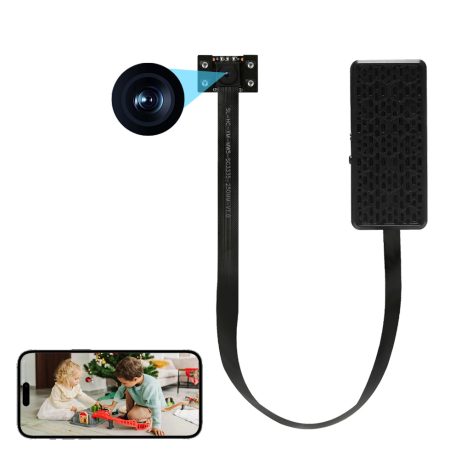
hotel rooms, or Airbnb stays, a Portable Mini
Camera is usually the most practical option because it’s
compact, battery-powered, and easy to place almost anywhere. Below, we
break down the best options, how to choose one, and what actually
matters in 2026.
Top Picks at a Glance
| Best For | Product | Resolution | Night Vision | Battery/Plug | Price |
|---|---|---|---|---|---|
| 🏆 Overall | 4K WiFi Clock Hidden Camera | 4K Ultra HD | ✅ IR | Plug-in + Battery | $129-$149 |
| 🍼 Nanny Cam | QX-S1 Smoke Detector Camera | 1080p HD | ✅ IR | Plug-in | $89-$109 |
| ✈️ Travel/Airbnb | Portable Mini Hidden Camera | 1080p | ❌ | 2600mAh Battery | $69-$89 |
| 🏢 Office | Multi-functional Clock Camera | 4K | ✅ Full Color | Plug-in | $159-$179 |
| 💰 Budget | Basic WiFi Hidden Camera | 1080p | ✅ IR | Plug-in | $49-$69 |
What to
Look for in a Hidden Camera (2026 Buyer’s Guide)
Resolution: Is 4K Worth It?
In many cases, yes. If you want footage that can clearly capture
faces, movement details, or other evidence-quality visuals, 4K
is absolutely worth considering. A 4K hidden camera records at
3840×2160, which gives you noticeably more detail than standard
1080p.
That said, not everyone needs maximum resolution. For common everyday
uses like monitoring a nanny, checking on pets, or keeping an eye on a
single room, 1080p is still more than adequate. It
offers solid clarity while usually keeping cost lower.
One big shift in 2026 is pricing. A few years ago, 4K hidden cameras
were often premium-only products. Now, it’s realistic to find a strong
4K model in the $120-$150 range, making them much more
accessible than they were in 2024.
Night Vision: IR vs Full
Color
Most hidden cameras still rely on infrared (IR) night
vision, which records clear black-and-white footage in complete
darkness. For indoor monitoring, that is usually more than enough.
Typical IR coverage falls in the 15 to 30 foot range,
depending on the model and placement.
More advanced cameras now offer full-color night
vision, usually through low-light or starlight sensor
technology. This can be especially useful when details like clothing
color, vehicle color, or room lighting conditions matter.
For a nursery, hallway, office, or living room, standard IR night
vision is typically the right choice. If you’re monitoring a darker area
where color detail could matter more, stepping up to a full-color model
can be worthwhile.
Wired vs Battery: The
Trade-off
| Feature | Plug-in (Wired) | Battery |
|---|---|---|
| Reliability | ✅ 24/7 recording | ⚠️ Needs recharging |
| Setup | Must be near outlet | Place anywhere |
| Stealth | Cord can give it away | Completely wireless |
| Recording Duration | Unlimited | 6-19 hours typical |
| Best For | Fixed positions (shelf, desk) | Portable use, travel |
If your priority is continuous recording, a plug-in
model is the better option. Once installed, it can run around the clock
without interruption. This is ideal for long-term monitoring in a living
room, office, nursery, or entryway.
Battery-powered models are more flexible. They’re easier to move,
easier to conceal in temporary spaces, and especially useful for travel.
The trade-off is simple: you get portability, but you also have to
recharge.
A major 2026 trend is the rise of hybrid hidden
cameras that combine plug-in power with a built-in battery.
These models offer 24/7 use under normal conditions, while still keeping
the camera active during a power outage or if it’s temporarily
unplugged.
Storage: SD Card vs Cloud
Storage matters more than many buyers expect. Most hidden cameras use
one of two options, and many of the best ones support both:
- Micro SD card (up to 256GB): no monthly fee,
straightforward setup, and a one-time hardware cost - Cloud storage: recurring fee, but recordings remain
accessible even if the device is stolen or damaged - Best setup: local SD recording for everyday use,
with cloud backup for important motion clips
If you want the most resilience, using both options gives you the
best balance of convenience and protection.
Connectivity: WiFi and App
Control
A modern hidden camera should not feel inconvenient to use. In 2026,
the basics should include:
- 2.4GHz WiFi support
- iOS and Android app access
- Motion-triggered push notifications
- Remote live viewing
- Playback of recorded video from your phone
5GHz WiFi can be a nice bonus, but 2.4GHz remains the most common
standard for this category.
A good rule of thumb: avoid cameras that lock basic viewing
features behind a required hub or paid subscription. A
straightforward WiFi camera with direct app access is usually the better
buy.
Legal Reminder
Laws vary by jurisdiction. In general within the
United States: – Recording video in your own home is legal – Recording
audio without consent is restricted in many states (two-party consent
laws) – Recording in areas with a reasonable expectation of privacy
(bathrooms, changing rooms) is illegal everywhere – Airbnb: as of April
2024, Airbnb bans all indoor cameras on listings, even disclosed —
only disclosed exterior cameras are allowed; guests should always check
local laws before placing their own camera anywhere
For the full state-by-state breakdown of audio consent rules and
video privacy laws, see our complete hidden camera laws guide.
This is not legal advice. Consult an attorney in your
jurisdiction.
Detailed Reviews
🏆 Best Overall: 4K
WiFi Clock Hidden Camera
Ideal for: Home security, living room, office
monitoring
The 4K WiFi Clock Hidden Camera stands out as the
most well-rounded option in this guide. It blends naturally into
everyday spaces, works as a functional digital alarm clock, and delivers
the kind of image quality most buyers actually want. Because it looks so
ordinary on a shelf, desk, or nightstand, it stays far less conspicuous
than standalone camera designs.
Its 4K sensor produces sharp, detailed daytime video, while built-in
IR night vision helps it continue recording effectively after dark. For
homeowners or office users who want a discreet device that doesn’t call
attention to itself, this style remains one of the strongest choices on
the market.
Key features: – 4K Ultra HD resolution (3840×2160) –
110° wide-angle lens – Motion detection with instant push notifications
– Loop recording to Micro SD card (up to 256GB) – WiFi remote live view
via smartphone app – Built-in alarm clock with adjustable time
display
Pros: Highly discreet, simple to set up, strong
video quality, no required subscription Cons: Micro SD
card sold separately, limited to 2.4GHz WiFi
Real-world use: This camera works especially well on
a bookshelf, bedside table, reception desk, or kitchen counter. It looks
natural in plain sight, and motion alerts make it easy to check activity
remotely.
Heading to an Airbnb? Airbnb’s current policy bans indoor cameras entirely — see our Airbnb camera policy guide before you pack one.
🍼 Best Nanny Cam:
QX-S1 Smoke Detector Camera
Ideal for: Nursery, childcare monitoring, pet
watching
The QX-S1 Smoke Detector Camera is a strong nanny
cam choice because it solves one of the biggest placement problems
buyers run into: getting a clean, wide view of the room without making
the camera obvious. Mounted on the ceiling and disguised as a standard
smoke detector, it offers a natural overhead perspective that can cover
a nursery, playroom, or common area more effectively than many
shelf-mounted devices.
Its 1080p resolution is more than enough for childcare monitoring,
and the added audio recording feature makes it even more practical for
parents who want more context during playback.
Key features: – 1080p HD video with audio recording
– Ceiling-mounted smoke detector disguise – WiFi remote live view –
Motion-activated recording – Works with standard ceiling mounts
Pros: Excellent room coverage, convincing disguise,
useful audio capability Cons: Requires mounting, not
designed for portability, limited to 1080p
✈️ Best for
Travel/Hotel Rooms: Portable Mini Camera
Ideal for: Personal travel security, hotel room monitoring, temporary
setups
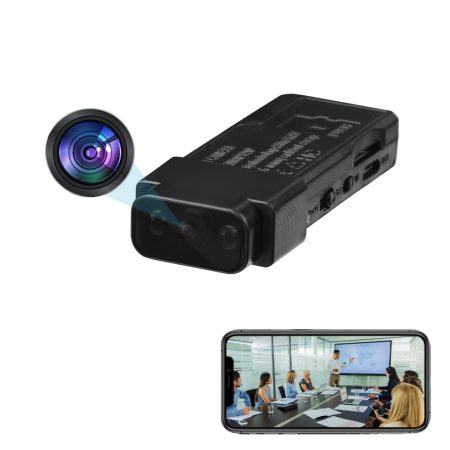
When portability matters most, the Portable Mini
Camera is the clear winner. It’s small, easy to pack, quick to
position, and doesn’t depend on a wall outlet. That makes it especially
useful for travelers who want a flexible personal security option in hotel rooms
or temporary workspaces. Note: if you’re staying at an Airbnb, keep in mind that Airbnb’s current policy bans all indoor cameras on listings — this camera is for monitoring space you personally control (like a hotel room), not for use inside a rented Airbnb listing. See our Airbnb camera policy guide for what’s actually allowed there.
The built-in 2600mAh rechargeable battery gives you
enough runtime for short-term monitoring, and the compact design makes
it easy to place discreetly on a shelf, table, or other flat
surface.
Key features: – Compact size (fits in a pocket) –
2600mAh rechargeable battery – WiFi live view – Motion detection alerts
– SD card recording
Pros: Lightweight, wire-free, easy to carry, quick
setup in temporary spaces Cons: Needs regular
recharging, capped at 1080p, shorter total runtime than plug-in
models
How to Choose: Decision Tree
START HERE
│
├─ Need 24/7 recording?
│  ├─ YES → Plug-in model (clock camera or smoke detector style)
│  │  ├─ Want 4K detail? → 4K Clock Camera
│  │  └─ Budget under $100? → 1080p Basic Model
│  └─ NO → Battery-powered portable
│     ├─ Travel/Airbnb? → Mini portable camera
│     └─ Temporary monitoring? → Any battery model
│
├─ Monitoring children/caregivers?
│  └─ YES → Nanny cam with audio (smoke detector or clock style)
│
└─ Need to hide it in plain sight?
   ├─ Bookshelf/desk → Clock camera
   ├─ Ceiling → Smoke detector camera
   └─ Anywhere → Mini portable
FAQ
Are hidden cameras legal?
In most U.S. states, hidden cameras are legal to use inside your own
home for security purposes, provided they are not installed in places
where people reasonably expect privacy, such as bathrooms or changing
areas. Audio laws are often stricter than video laws, and some states
require consent from all parties before recording sound. Always review
the laws in your state and local jurisdiction before using one — see our
state-by-state legal guide for details.
What’s
the difference between a hidden camera and a nanny cam?
Functionally, there is no real technical difference. A “nanny cam” is
simply a hidden camera being used to monitor a caregiver, child, or
household activity. In practice, nanny cams are often placed in
nurseries, kitchens, or living rooms, and buyers usually prefer models
with audio recording and reliable room coverage.
How long do hidden
camera batteries last?
Most battery-powered hidden cameras run for about 6 to 19
hours on a single charge, depending on factors like video
resolution, whether the camera records continuously or only on motion,
and the size of the battery itself. If you need longer coverage, a
plug-in model or a hybrid model with battery backup is usually the
better choice.
Can hidden cameras record
in the dark?
Yes. Most hidden cameras in 2026 include infrared (IR) night
vision, which allows them to capture black-and-white footage in
complete darkness, usually within a range of about 15 to 30 feet. Some
higher-end models also offer full-color night vision, though that
generally works best when there is at least a small amount of ambient
light.
Do I need WiFi for a hidden
camera?
No, WiFi is not strictly required. Many hidden cameras can record
directly to a Micro SD card without any internet
connection at all. However, WiFi is what enables remote live viewing,
app-based playback, push notifications, and cloud backup. If you want to
check footage while away from the camera, WiFi is strongly
recommended.
How do I detect
hidden cameras in an Airbnb?
Start by visually inspecting common household items such as clocks,
smoke detectors, chargers, mirrors, and decorative electronics for
unusual holes or lenses. You can also turn off the lights and use your
phone camera to scan for infrared lights, which may appear as bright
white or purple dots. For a more thorough check, many travelers use
portable RF detectors. If you discover a camera in a private space like
a bedroom or bathroom, document it immediately and contact Airbnb right
away.
Why Trust This Guide
We’ve been serving the hidden camera and surveillance market since
2020, and our recommendations are shaped by direct product evaluation,
customer feedback, and ongoing research across the category. We focus on
practical performance, real-world usability, and value — not paid
placements.
📌 Browse our full collection: HiddenCamDirect.com