English
  German
  Spanish
  Russian
  Arabic
 Best Hidden Cameras for Airbnb Hosts: Protect Your Property Legally (2026)
Legal Disclaimer
Laws governing surveillance and recording devices vary by jurisdiction. Before installing any camera in a rental property, check your local laws and consult with a legal professional. Hidden Camera Direct does not provide legal advice; this guide is for informational purposes only. For a full state-by-state breakdown of recording consent laws, see our hidden camera laws guide.
Quick Answer: What’s the Best Hidden Camera for Airbnb Hosts?
Important update: as of April 2024, Airbnb bans all indoor cameras on listings — even disclosed ones. So for Airbnb specifically, “hidden camera” really means exterior monitoring (entryways, driveways, patios) with disclosure, not indoor common-area surveillance. For most Airbnb hosts, the X-S1 Smoke Detector Camera works well mounted near a covered entryway, and the Q6P USB Charger Camera is a compact option for exterior outlets. If your goal is indoor monitoring of your own home (not an Airbnb listing), see our full hidden camera buying guide for indoor-appropriate picks like the S7 Plus clock camera.
Airbnb’s Camera Policy: What Hosts Need to Know
Airbnb’s rules on security cameras changed significantly in April 2024, and the update is stricter than many hosts realize. Here’s what the current policy actually requires:
1. Indoor Cameras Are Banned Entirely — Even Disclosed
As of Airbnb’s April 2024 policy update, you may not install any camera inside your listing — not in bedrooms, not in living rooms, not in hallways — regardless of whether you disclose it, and even if the camera is turned off. This is a change from the older policy (pre-2024), which allowed disclosed cameras in common areas. If your listing description or older blog posts (including earlier versions of this article) mention “disclosed common-area cameras,” that guidance is now outdated — indoor is indoor, full stop.
2. Exterior Cameras Are Still Allowed, With Disclosure
You can install cameras that monitor the exterior of your property — entryways, driveways, yards, parking areas — as long as you disclose their presence and general location in your listing’s “Safety Devices” section before a guest books. Cameras must not be angled to capture any interior space through windows or doorways.
3. Hidden Cameras Are Always Prohibited
Whether indoors or outdoors, Airbnb’s policy prohibits devices designed to conceal the fact that they are cameras. Any camera you use — even outdoors — should be reasonably identifiable as a camera, not disguised as an unrelated household object.
4. Audio Recording Without Consent Is Illegal in Most Places
Many jurisdictions require all-party consent for audio recording — see our state-by-state legal guide for which states require it. Even where not legally required, undisclosed audio surveillance is a serious privacy issue. If your exterior camera supports audio, disclose that clearly.
5. Noise Decibel Monitors and Smart Devices Must Also Be Disclosed
Non-camera monitoring devices — noise decibel monitors, smart locks, doorbell devices — must still be disclosed if installed at the property.
Violating these rules can lead to removal of your listing, account suspension, or in serious cases, legal liability. When in doubt, keep cameras outdoors, disclose everything, and never use a device designed to look like something else.
Cameras That Work Well for Exterior Airbnb Monitoring (2026)
Since Airbnb no longer allows indoor cameras, the picks below focus on exterior, entryway, and off-platform (your own rental property, not listed on Airbnb) use cases. Each was selected for a different scenario — from weatherized entryway monitoring to fully portable options for hosts managing multiple properties.
1. X-S1 Smoke Detector Camera — Best for Covered Entryways
The X-S1 records in 4K with night vision and motion detection. Note: because Airbnb prohibits disguised/hidden devices in any location, this model is best suited for indoor use in your own home, or for platforms/properties where disclosed hidden devices aren’t restricted — not for use on an active Airbnb listing.
- Pros: 4K resolution, WiFi remote viewing, night vision, motion detection
- Cons: Not suitable for Airbnb listings due to the disguised-device rule; best for personal home use
2. Q6P USB Charger Camera — Best for Indoor Home Use
The Q6P plugs into any standard wall outlet, records with night vision, and includes motion detection with SD card storage. Like the X-S1, this is a disguised device, so it’s a good fit for monitoring your own home, a small business you operate, or a rental you manage outside Airbnb’s platform rules — not for an active Airbnb listing.
- Pros: Discreet charger form factor, motion detection, simple plug-and-play setup
- Cons: Not Airbnb-listing-compliant; indoor personal/business use only
3. S5L Mini DIY Camera — Best for Flexible Indoor Placement
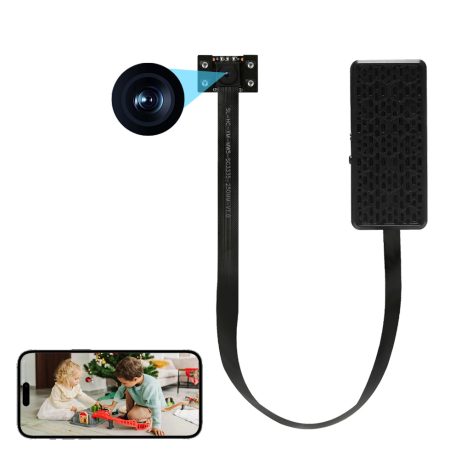
If you need maximum placement flexibility for your own home or a non-Airbnb rental, the S5L Series is a compact DIY module that can be positioned almost anywhere. Not suitable for Airbnb listings under current policy.
- Pros: Tiny and extremely flexible placement, WiFi live viewing, affordable
- Cons: Not Airbnb-listing-compliant; needs some DIY creativity for concealment
4. S8 Power Bank Camera — Best Portable Option for Personal Use
The S8 is a fully functional portable power bank with a built-in 4K camera. It’s a good travel companion for personal security in hotel rooms or your own space — but like the other disguised-camera picks here, it’s not appropriate for an active Airbnb listing you host.
- Pros: Fully functional power bank, long battery life, ultra-portable, works indoors or outdoors, motion detection
- Cons: Not Airbnb-listing-compliant as a disguised device; best for personal travel security
Where You Can (and Cannot) Install Cameras on an Airbnb Listing
Under Airbnb’s current policy, the placement question is much simpler than it used to be: indoors is off-limits everywhere, disclosed or not. Here’s the practical breakdown:
✅ Allowed on Airbnb (Exterior Only, With Disclosure)
- Entryway & front door (exterior-facing only): The most common allowed location. Protects against unauthorized entry and package theft, as long as the camera doesn’t also capture interior space.
- Driveway / parking area: Generally fine with disclosure.
- Yard / patio / exterior common areas: Disclose as “exterior security cameras.”
- Noise decibel monitors (any location): Not cameras, but must still be disclosed.
❌ Prohibited on Airbnb (No Exceptions)
- Any indoor space: Bedrooms, bathrooms, living rooms, hallways, kitchens — all indoor cameras are banned as of April 2024, disclosed or not, on or off.
- Any hidden/disguised device: Even outdoors, a camera built into an unrelated-looking object (smoke detector, clock, charger) violates Airbnb’s anti-concealment rule.
- Any sleeping area: Covered by the blanket indoor ban above.
⚠️ If You Manage Rentals Outside Airbnb
- Some direct-booking or non-Airbnb rental platforms have different (or no) camera-disclosure rules. If you manage a property this way, indoor disclosed common-area cameras may still be an option — but you must independently verify the platform’s policy and your state’s recording consent laws, since state law still applies regardless of platform policy.
- Golden rule: When in doubt, imagine a guest discovering the camera. If you’d feel embarrassed or defensive explaining it, don’t install it there — and check both platform policy and state law before you do.
Frequently Asked Questions
Are hidden cameras allowed in Airbnb rentals?
No. As of Airbnb’s April 2024 policy update, hidden or disguised cameras are prohibited everywhere on a listing — indoors or outdoors — and all indoor cameras (hidden or not) are banned regardless of disclosure. Only visible exterior security cameras, disclosed in the listing’s “Safety Devices” section, are currently allowed. Read our hidden camera laws guide for the underlying state-by-state legal context.
Can I install cameras in common areas of my Airbnb?
No — not anymore. Prior to April 2024, disclosed cameras in common areas (living rooms, kitchens, hallways) were permitted. That is no longer the case: Airbnb’s current policy bans all indoor cameras regardless of disclosure. If you want camera coverage of common areas, the camera would need to be positioned outdoors (e.g., a doorway camera capturing the entrance rather than the interior).
Do I have to disclose cameras to my Airbnb guests?
Yes, absolutely. Airbnb requires hosts to disclose all exterior surveillance devices (the only kind currently permitted) and any noise decibel monitors in the “Safety Devices” section of their listing, visible to guests before they complete a booking. Failure to disclose can result in listing suspension and, depending on your jurisdiction, potential legal liability under state privacy law.
What type of camera is best for an Airbnb rental property?
For an active Airbnb listing, the best option is a clearly visible (non-disguised) exterior camera positioned at the entryway or driveway, disclosed in your Safety Devices section. If you’re monitoring your own home or a rental you manage outside Airbnb — where disclosed indoor cameras may still be permitted under platform policy — see our full hidden camera buying guide for indoor-appropriate picks like WiFi clock cameras or power strip cameras.
How do I secure the camera footage from my Airbnb?
Securing footage is as important as capturing it. Follow these best practices:
- Use encrypted microSD cards with a PIN or password lock wherever your camera supports it.
- Enable password protection on the camera’s companion app and change the default password immediately after setup.
- Never store footage on cloud services that use weak or default passwords — if remote access is compromised, all your footage is exposed.
- Set loop recording to automatically overwrite old footage. For most hosts, 7–14 days of retention is sufficient; keeping months of guest-area footage serves no purpose and increases liability.
- Physically retrieve the SD card between guest stays if needed.
- Do not share footage with anyone except law enforcement (with a valid warrant) or your legal counsel.
Protect Your Property the Right Way
Choosing the right camera setup for an Airbnb is now mostly about exterior coverage done well and disclosed honestly — indoor surveillance is off the table under current platform policy. A well-placed, clearly-visible exterior security camera deters property damage and unauthorized entry without crossing Airbnb’s rules.
If you’re managing property outside Airbnb, or securing your own home, browse our full Hidden Camera Buying Guide for indoor-appropriate models — and before you install anything, spend five minutes reading our guide to hidden camera laws by state. It could save you far more than five minutes of trouble down the road.
Shop Best-Selling Hidden Cameras →
Last Updated: September 2026